

Fast and Cheap - Getting Started
How to make your own music with almost no money

I hesitated to get into making my own music for literally decades because I assumed it was too expensive. My barrier to entry was a lack of up-front money and the inaccurate assumption that quality music could not be produced on a reasonable budget. I was assuming that the only way to really make music was to have thousands or tens of thousands of dollars and access to a full studio.
If you feel that way, I'm here to change your mind. If you need a starting point, this is it. For about $60 USD you can get started with laying down your ideas. It is not necessary to buy this gear brand new, either. Lean into the used market. This is not meant to be a complete guide - it's focused on starting without things like guitars and live drums, but you may not want those anyway. We are going as low scale as we possibly can here, so all we need to get started is a MIDI controller, some software, and of course, a computer.
This guide is for getting you going from an equipment and software standpoint. It is not a "how to use a DAW" or a technical guide in any sense. But if you need some help with that part of things, you're more than welcome to email steven at romhead.com and I'll send you some resources to help out.
Since an assumption is being made that you already have a computer, let's start there - what is good enough?
What makes a computer good enough for making music?
This guide is being written with specific a specific DAW (Digital Audio Workstation) in mind (more on the DAW in a bit), so these specifications are geared in that direction. Unless it's a very low-end machine that's primarily used to access the Internet, your computer may already be good enough. You can make music with a PC or a Mac (although some gear snobs will insist Mac is the only option, don't listen to gear snobs). Chromebooks likely won't be useful for this process. You're needing a full PC or Mac.
If you're on a PC, you'll want Windows 10 or later, at least 8GB of RAM, and a 5th generation or later Intel Core i5 or equivalent processor. RAM and processor requirements are similar for Mac, but instead of Windows 10 you'll need macOS 11 Bug Sur or later.
Perhaps even more importantly, no matter which platform you choose you'll need LOTS of hard drive space. How much is lots? Several hundred gigabytes, and probably more by the time it's all said and done. Music files in high quality take up space in a hurry. You'll want plenty of space for your audio files, project sessions, and backups. Yes, you will need backups. If you think you don't need backups, you will learn the hard way. Choose to learn the easy way.
Got your computer? OK, good. Hopefully it's one you already had and not a new purchase. If you're going to have to purchase something, this should be the most expensive piece of your minimalist setup. You'll see this further down the list also, but be sure to peruse the used market. You're looking for something that's just enough to get you started. Once you're making music on a regular basis, you can expand or upgrade your computer to something better. Next!
What's this MIDI controller you mentioned?

Without getting too technical, a MIDI controller is effectively analogous to a controller for a video game. On its own, it does nothing, but just like a game controller needs a console and some video game software the MIDI controller needs to be paired a DAW (the "console") and a virtual instrument (the "video game software"). Since we are on a budget, MIDI controller selection is very serious business. There's a very cool feature baked into many MIDI controller purchases - they often come with free beginner DAW software. This is important because this guide assumes you want to save money, so we're choosing a MIDI controller that comes with an instance of Ableton Live Lite. Ableton Live Lite requires a hardware purchase, but you can get in the door for around $60 for a brand new controller (example - the Arturia Microlab mk3 25-key controller is $59 at Sweetwater at the time of this publication)
Choose whatever MIDI controller fits your budget and needs. You can spend tens of dollars all the way up to thousands of dollars, but if you're spending thousands why are you reading this? You don't have to spend thousands. Again, just like with your computer, get established first then upgrade later if you want something more robust. Peruse the used market - Ableton will give you Live Lite even if you buy a qualifying controller second hand (check the form on Ableton's website). But since you need a video game - er, some virtual instruments - I recommend you start with the Arturia controller because you’re going to need a DAW
Tell me more about that DAW thing. Please.
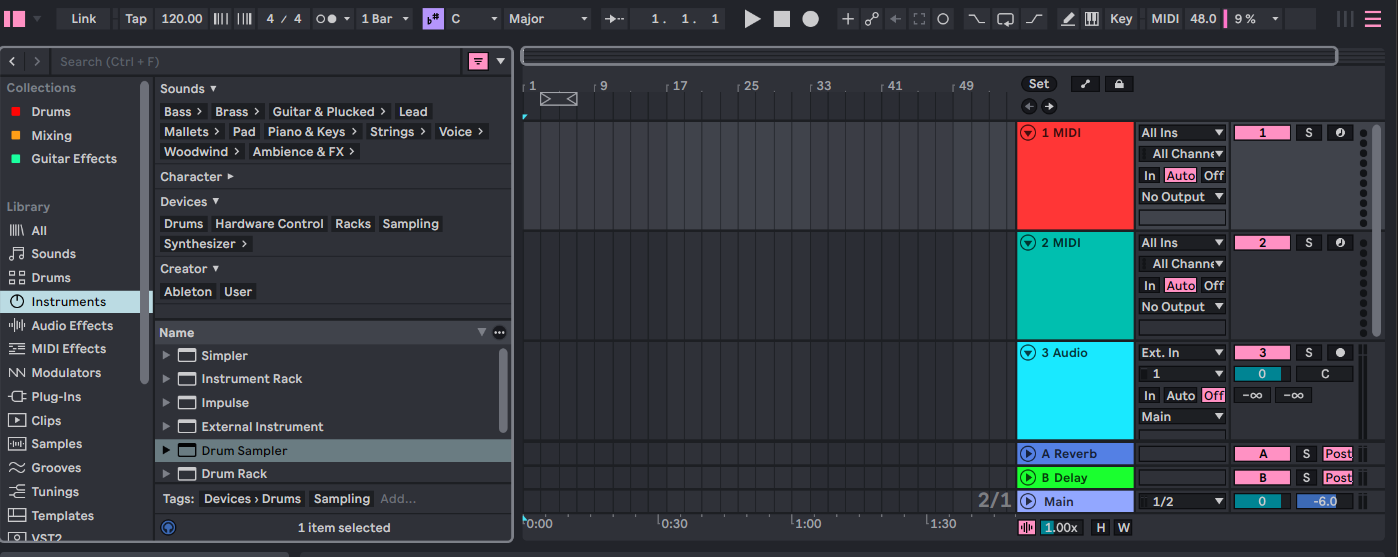
A DAW (Digital Audio Workstation) is effectively a virtual studio environment on your computer. It's where you record your tracks, sync it up, and even perform the mixing and mastering. Since this is not intended to be a DAW tutorial (trust me - I'm not qualified to write that), let's focus on the "get something for nothing" aspect of things.
Many DAWs are bundled in with hardware purchases. I have experience with Acid Pro (which I don't recommend for these purposes) and Ableton Live. If you buy the Arturia Microlab, you'll get Ableton Live Lite for free. This is, of course, an introductory version of the software but there's enough in it to get you started. Right off the bat, it comes with 8 virtual instruments (more on this below), 27 audio effects, 12 MIDI effects, and a whole host of presets, samples, and loops. You can find out more about all these things on Ableton's website.
Ableton and Arturia have paid me nothing for writing this, by the way. These are simply tools that I use to create and I know they work. That does not mean they are the only options, but they're really good/excellent options.
OK, so the DAW is the studio, but what do you mean by virtual instruments?
There are… seemingly infinite free virtual instruments available.
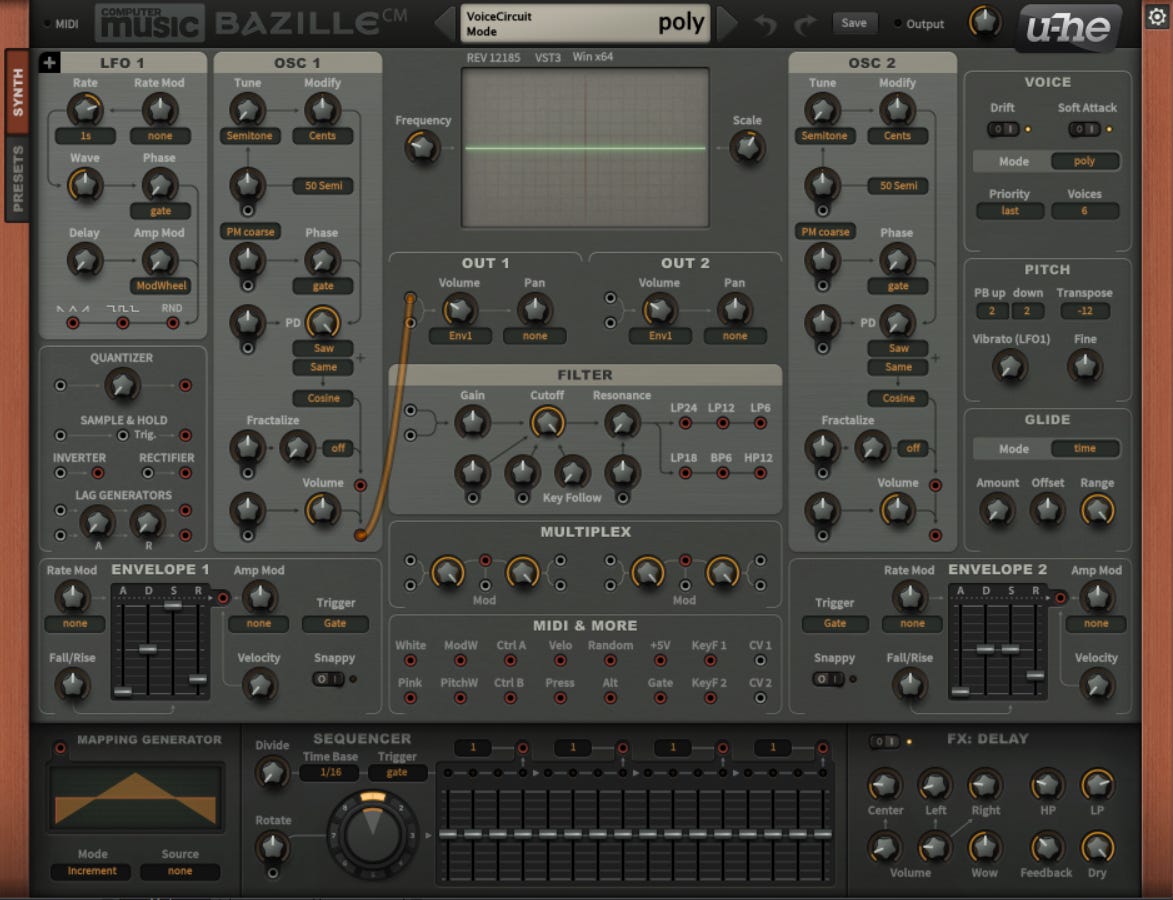
Gone are the days where you have to have a 3,000 pound and $9,000 synthesizer to make sounds. Today's virtual synthesizers rival their analogue counterparts (gear nerds will argue this but again, we're here to get started for cheap not to give in to gear nerd vitriol). I recommend the Arturia Minilab (linked above) for a very special reason - in addition to coming with Ableton Live Lite (which includes virtual instruments!), it also comes with access to Arturia's Analog Lab Intro for free. Analog Lab Intro is a starter pack of virtual synthesizers that will get you started. If you have a computer, a MIDI controller, Ableton Live Lite, and Analog Lab Intro, you have everything you need to start making some music. Again, there are seemingly infinite virtual instrument plugins out there - you don’t need to spend a single dime on any of them to get started. The goal is to make some music, not drain your wallet. Lean on the free options available. You can do FAR worse than Analog Lab Intro, and then in the future you can spend some cash to upgrade it to the full version or buy some individual sound packs.
There are also seemingly infinite free virtual instruments available. Check out the YouTube channel Elektronick Musick for demonstrations of plenty of free instruments and plugins (for more on plugins see the BONUS section below).
I have all my gear and software. Now what?
Go get started. Make some music. If you don't know what you're doing, do some searching on "How to make music in Ableton (or whatever DAW you ended up choosing)".
If you have a creative itch to scratch, don't let your busted bank account hold you back. Even if you need to buy a computer, a modest machine that can be purchased for a few hundred dollars. Hopefully you already have a sturdy enough machine and you can get going for around $60. Don't make the same mistake I made for over 20 years. The hardest part is getting started. So GO GET STARTED.
BONUS!
Hey, I have a few bucks left to spend. Anything else I can grab to help me get started?
Sure! You can get started with just what we've already mentioned. If you have the budget, go ahead and get:
A set of studio monitors. You can get some used ones, or a pair of good enough new ones for around $100. Some good quality headphones would be acceptable in lieu of studio monitors.
If you already own a guitar, pick up an audio interface. This will allow you to record guitar directly to your DAW. I recommend the Arturia MiniFuse because - of course - it comes with some free plugins that can help you get started.
Try to avoid the urge to start spending extra money on plugins right away. Instead:
Learn how the stock plugins work on your DAW, then do some research. Especially in the case of Ableton Live, the stock plugins are highly regarded by musicians and producers.
If you have a guitar and you bought an interface you may benefit from picking up a virtual amp/effects plugin but deeply explore your DAW before doing any plugin buying.
Also, it’s rarely necessary to pay full price for a plugin. Unless it’s something you need immediately, pop it on a wishlist and wait for one of the approximately 974 sales that will inevitably come around.
And better yet, seek out free plugins from reputable sources (like the sources mentioned on the YouTube channel Elektronick Musick).
If you buy any musical instruments, don't spend a ton on an instrument unless you're already beyond a beginner level. Again, browse the used market - let the folks who are giving up bear the brunt of the cost - or go for a budget friendly model to get you going. The point is to get started as fast as possible.
OK enough already. You're just stalling at this point. Go get started!! And when you do, let me know how it goes by sending a message to steven at romhead.com.
Lots of great starter help here. Well done!!
What an age we live in - so great!